
Get the answer: How to transfer music from Mac to iPhone in 3 simple steps

August 10, 2021 5:48 PM

How to transfer music from Mac to iPhone in 3 simple steps


Music lovers, who have large music libraries often find themselves confused. How do you transfer music from Mac to iPhone should you have 50 GB of music?
Some of the easiest tasks usually might take up too much of your time. Even simple tasks, like discovering new music, finding lyrics and most and foremost listening to the quality music. You can find out full information about the former ones reading our article on best music apps for iPhone. However, we at Coppertino care for your time and convenience. That's why for the latter one, we prepared a step-by-step guide on how to transfer music from Mac to iPhone in a safe and straightforward way.  
There are three key points you have to bear in mind:
  • Time.
  • Simplicity.
  • Quality and Efficiency.
Most of these factors depend on what kind of software you use and whether you want to deal with Apple's default player (iTunes) or maybe you might want to seek alternatives to fit all your specific preferences. No matter what you give your priorities to – here's everything you need to know to transfer your music from Mac to iPhone and get ready for listening and enjoying music. 

Since you are interested in a way to transfer music stored on your Mac to your iPhone, you probably don't use streaming services as such, for you already have the songs you like and would like to just have them on your device. If you aren't keen on making choices and are OK to go with the flow or just happen to like iTunes – well, then you should use iTunes. It's a great service if you tend to buy music - after you pay for it, your purchased music will instantly appear on all your Apple devices because they synchronize. 

How to do it:

  1. Launch iTunes (or download it ^nofollow^here).
  2. Go to iTunes Store.
  3. Search, pick and buy music (sometimes there's also free music so keep an eye for special offers).
  4. Wait till it appears on your iPhone in Music App, but you should make sure you have chosen the option of instant downloading for your purchases, otherwise, you can only stream it from iCloud).


How to transfer music previously purchased to iPhone and how to transfer music stored on your Mac to iPhone.

  1. Connect your iPhone to Mac.
  2. Launch iTunes.
  3. Scan your iPhone for media files.
  4. If the scan doesn't find all necessary music you can add some manually (Drag & Drop the files, or open the folder in iTunes and choose Add to Library).
  5. Transfer your music to iPhone.
Provided that you already have your music collection you should consider using iTunes Match. This app scans your local music library on your Mac and adds some particular tracks (by artist and name) to your iCloud storage. Later you can open your Library in Music App on iPhone, pick a track and tick the option of storing the song on your device by tapping near the selected track, otherwise, you will only be able to stream without being able to play the song offline. Not all music is available on iTunes though. You have to bear in mind that some tracks, for instance on SoundCloud, are even available for download.

All in all, iTunes is an excellent tool if your like to limit yourself to music purchased on iTunes and don't crave for much more. This process is also time-consuming because you have to perform too many actions and deal with too elaborate settings just to make sure that the music is on your iPhone. 


How to save time and storage and transfer your music with VOX Music Player for Mac & iPhone. 


What is VOX?

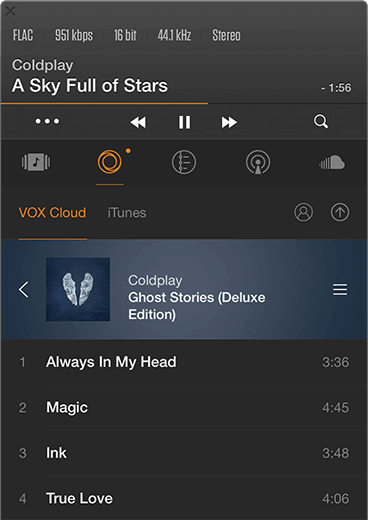
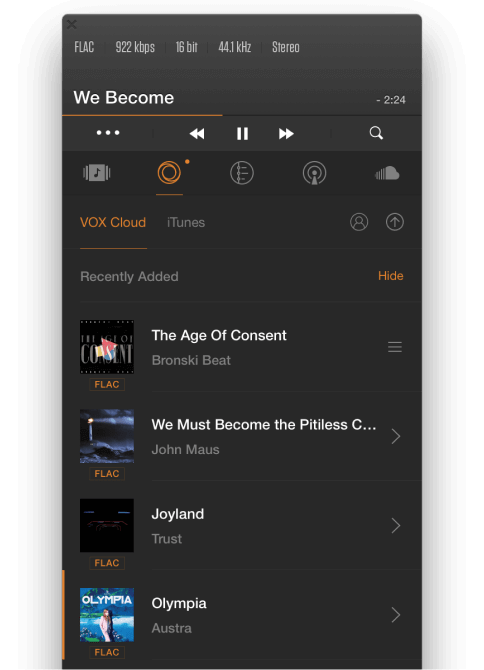
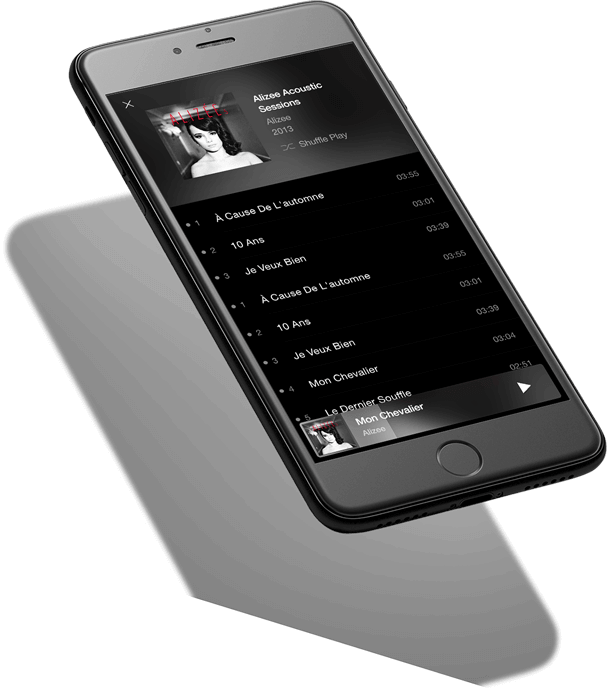
VOX Music Player for Mac & iPhone is a simple audio player with a sync feature for Mac and iPhone that plays music in Hi-Res. What really makes it a decent iTunes alternative is a cloud-based music storage called VOX Music Cloud Storage. It's available to VOX users exclusively and serves as an unlimited music cloud storage for all your collections regardless of their size or format. It syncs Mac and iPhone and doesn't compress or convert your audio files thus preserves the quality of the playback. It means that if you upload a 24 bit / 96 kHz / 3000 kbps FLAC files, that's exactly what you are going to hear. Just look at this beautiful bit rate.

LOOP Music Cloud Storage gives a straightforward answer on how to transfer music from Mac to iPhone preserving the original quality of the sound
It is important to listen to exactly what you expect. For example, SoundCloud compresses absolutely everything to MP3 128 kbps. They do it to save space, but VOX is an unlimited cloud storage so you can have millions, billions or whatevers of tracks. 
You can upload and backup your music library absolutely effortlessly preserving the original quality. VOX Cloud makes a great substitute for external HDDs so you won't even have to store your music on your computer anymore. 

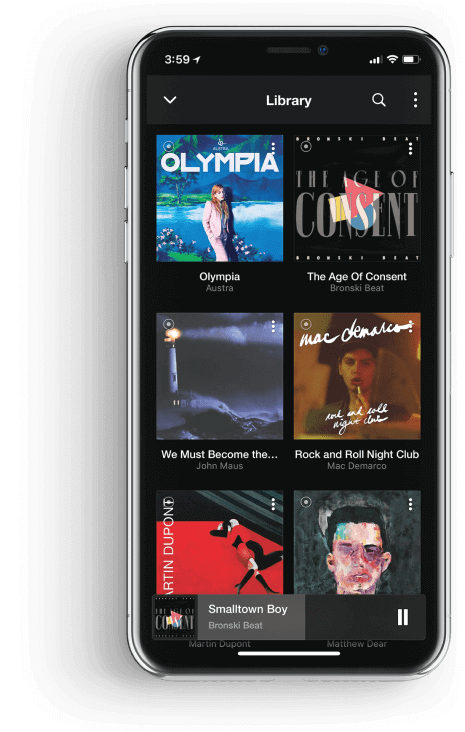
Music stored in VOX Cloud is available on your Windows PC, Mac and iPhone.

All the music you need on your iPhone can be cache and accessed offline anytime, anywhere.


Here's how you can transfer music from Mac to iPhone with VOX Music Cloud Storage

To start using VOX Cloud all you have to do is move your music to VOX Music Player on your Mac.

  1. Download VOX to your Mac and iPhone.
  2. Launch VOX.
  3. Chose audio files, then Drag & Drop them to VOX.
Done! Now you can enjoy an unlimited amount of music on your iPhone.


VOX also features:
  • Excellent quality playback supporting both lossy and lossless formats including FLAC, ALAC, WAV, CUE and others.
  • SoundCloud streaming as well as LastFM integration and scrobbling.
  • CarPlay and AirPlay.
  • 30,000+ radio stations from around the world.
  • The most advanced equalizer with built-in presets for various genres and styles as well as manual controlling for best music experience.
All things considered, you must have no doubt that VOX Music Player for Mac & iPhone is all you need to both transfer music from Mac to iPhone and just listen to high-quality music. 

Enjoy the chills with VOX!

No need to use audio converter, try VOX Music Player instead

August 10, 2021 5:47 PM

No need to use audio converter.
Try VOX Music Player instead.

When we can't enjoy Hi-Res music on iPhone, we usually use some audio converter to make the music more accessible. Here's why we can't keep on doing that

Most people consider 2001 as revolutionary in music, and it somewhat makes sense. It is the year when Steve Jobs designed iPod, a huge leap forward for all musicians and music lovers. However, now we realize it wasn't the best thing since sliced bread. The sound has lost its unique qualities given by artists, and we'd become so greedy that all we wanted was more and more music but less and less quality.

We used to have some CD albums and were happy to enjoy those tracks; now we find an artist, download everything they've released plus EPs, live concerts, and remixes just because we can store all of it. Modern phone and player have 32 GB+, so space is no problem. 

When we convert a Hi-Res song to MP3 or any other lossy format, what remains is the loudest and most hearable part of a song, but all the details and minor sounds are removed. It's like instead of going to The Louvre you look at Mona Lisa on your phone. Luckily some people prefer not to use audio converters to reduce file's size and want to listen only to original sound. If you want to know more about Hi-Res music, I suggest you read our clear explanations on this topic illustrated by the example of FLAC vs. MP3 rivalry. 

Since Hi-Res are open to download, it's been a major problem that most phones and players don't support them. Sad but true, conversion and compression won this battle, but the war isn't over. For most, converting music to lossy formats isn't a desire but a necessity. It makes sense since Hi-Res files have significant size, harder to find and even harder to play, but, as we know, each problem has a solution, and today we will tell you why people prefer to use audio converters and how to tackle it

It takes too much space. Audio converter solves this problem.

The most common problem is all about the size. But nowaday, there are so many alternatives like clouds, external HDDs, and NAS that it seems a bit foolish to prefer a distorted sound because of that reason. It could be OK if we lived in 2001 when 1 GB USB drive was a thing, but not in 2021. I do understand that everybody wants to listen to High-Quality music and a lot of it, but sometimes you have to choose the quality and the quantity. Or you don't?

Solution: VOX Music Cloud Storage is an unlimited cloud that stores all your music regardless of the size. It means you can have millions of album of the best quality available anytime, anywhere. It automatically syncs with your iPhone so files' format matters no more. What you have on the cloud, you have on your iPhone and Mac. 


WRONG! It doesn't take more time than it takes audio converter to do its business. Think about the following: while you are sitting there waiting for a lossy file, you are literally watching the sound dying. It's being ripped from all sides, and you can stop it. It's best to keep what is actually there rather than to make it even worse by removing higher frequencies and giving the song some digital artifacts just because you can't wait for a minute or two.
Solution: Use VOX Music Cloud Storage for uploading Hi-Res files. No need for an audio converter. It took me less than a minute to upload "This is Happening" by LCD Soundsystem 24 bit / 96 kHz with over 2500 kbps.

Hi-Res files are difficult to find

Come on, guys. It can't be it. I mean, it can't be difficult because Google. It’s just a matter of whether you prefer to listen to Hi-Res music or you don't care about the quality, and also how much you want it. 
Solution: You can google any artist, album or song and then add "Hi-Res" or some formats like "FLAC, WAV" or any other. Just look how it works:

iPhone doesn't support most Hi-Res formats

Problem #1. When you have some Hi-Res music, the question is how to listen to it. The only good point about MP3 is that you don’t have to worry whether your phone can play it or not. However, it's not true that iPhone can't play Hi-Res music. Let's make it clear: iTunes can play it, and neither iPhone native audio player, but there are HD music players, which are designed for this.

Solution: Try VOX Music Player for Mac & iPhone. It’s simple to use, affordable and the best – it preserves all of the quality. The number of supported formats is incredible. VOX can play most lossy and lossless ones. 

  • FLAC;
  • ALAC;
  • WAV;
  • AIFF;
  • DSD and others.


I don't hear the difference between lossy and lossless

Whatever format you prefer to listen to, lossy or lossless, remember – there's always a difference.  It might be hard to tell the difference between lossy and lossless if you have $10 headphones or use a built-in stereo speaker, but anyway, the distinction is pretty much evident. 
Solution: VOX Music Player has a new bass-enhancing technology that makes the best out of any song. When you experience it for the first time, you'll feel you've never heard the song sounding like that. Just try it, and it will change everything. 

CONCLUSION

The era of Hi-Res music has finally come, and it's time we all started experiencing a new level of quality with VOX Music Player for Windows, Mac & iPhone. 

The excuses why use audio converter are no longer relevant, so if you ever decide to convert some Hi-Res format to MP3 regardless on the reason, remember that there's always a better solution to keep listening to high-quality. Conversion is an echo of past times, and Hi-Res is the future. Let's stop killing the original sound, the work of our favorite artists. We must pay our respect to them and listen to exactly what they record in a studio.

Listen to HQ music, feel the best sound and enjoy the vibes.n to HQ music, feel the best sound and enjoy the vibes.

Hi-Res is taking over the world

Hi-Res is taking over the world

July 6, 2021 2:34 PM
We expanded our limits and made our app available cross-platform. With added Editing and Uploading features.

From now on you can easily use VOX infrastructure on your Windows device also and then listen to Hi-Res music all around.

VOX Music Universal

VOX Music Universal

July 6, 2021 2:34 PM
VOX expands boundaries and becomes multi-platform!
Submit your email to become the first to try legendary VOX for Windows.

Google Play Music music exit. VOX enters the scene!

October 23, 2020 2:11 PM

Google Play Music music exit. VOX enters the scene

Google play music is not available any more? Don’t stop listening to music - try VOX now!
Since today Google Play Music has stopped providing services for its users around the World. Some users still have access to the service, however the service will be terminated for all by the end of this month.


It's time time to try VOX Music Player with Unlimited music cloud storage and advanced Audio features. Get Unlimited Music Cloud with 25% off today only. Use RIPGPLAY coupon at checkout.
Learn more about different between Google Play Music and VOX Cloud.